Overview
This article will describe how to search for scenarios in the Safety Pool™ database, using the tag-based search tool.
To learn how to search with an ODD definition, please see this article: Searching by ODD.
Safety Pool™ Search
The Search page can be accessed from either the Welcome page or the Scenarios page.
|
|
.png)
.png)
Search by Tags
A new search can be created by clicking the New Search button, in the top-right of the Scenario Search page. Saved searches can be accessed by using the drop-down menu next to the current search title. Searches can be edited by using the drop-down menu next to the New Search button.
|
|
.png)
.png)
In the Search by Tags page, there is a drop-down list of tags, which is categorised into ODD, Behaviours, and Meta Data. Clicking a tag will add it to the Search Criteria, where it will be visible on the right-hand side of the page.
|
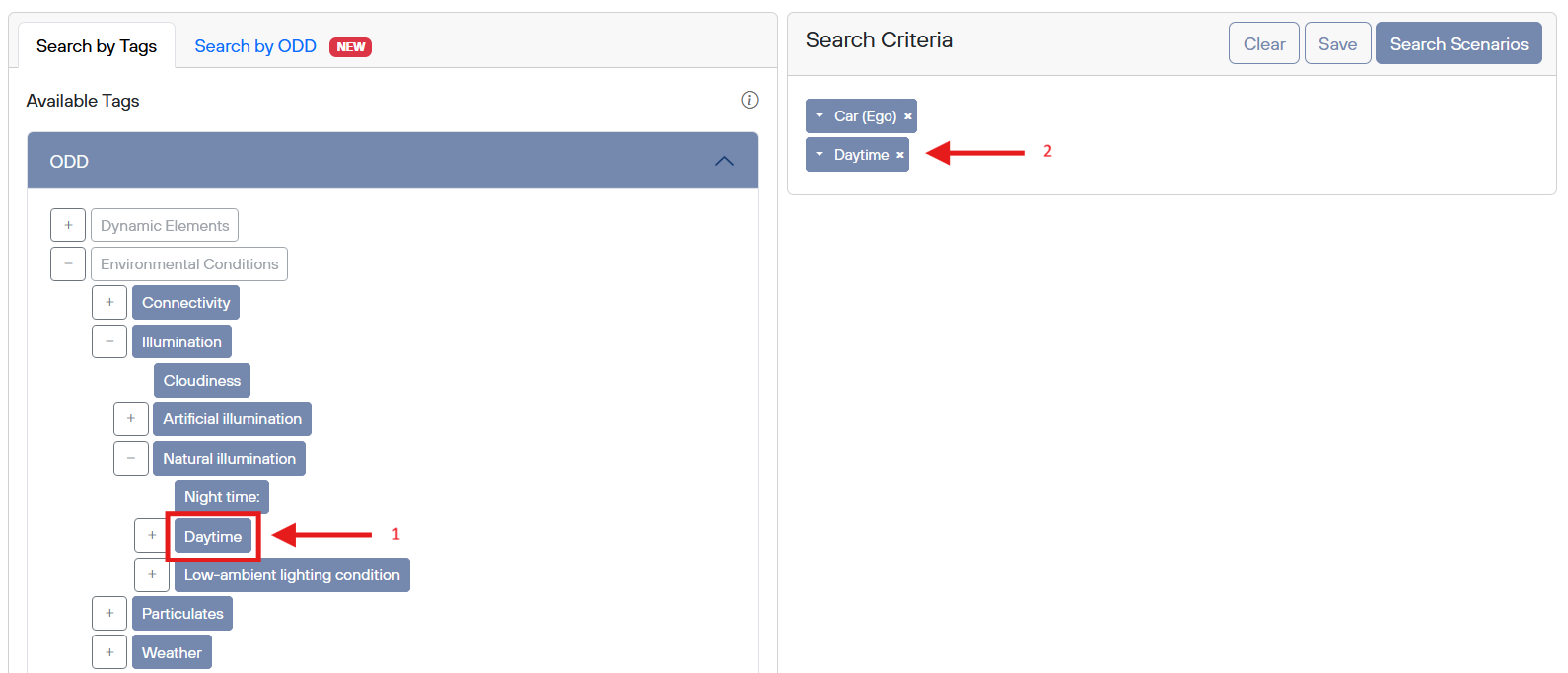
You must choose at least one library to search for scenarios. These can be selected from a drop-down menu, which will appear when you click the Libraries box.
|
.png)
Clicking the Search Scenarios button will search the chosen libraries for scenarios which match the chosen criteria. A green box will appear with the number of matching scenarios, and a link to the list of matches. If no results are found, the box will be yellow.
|
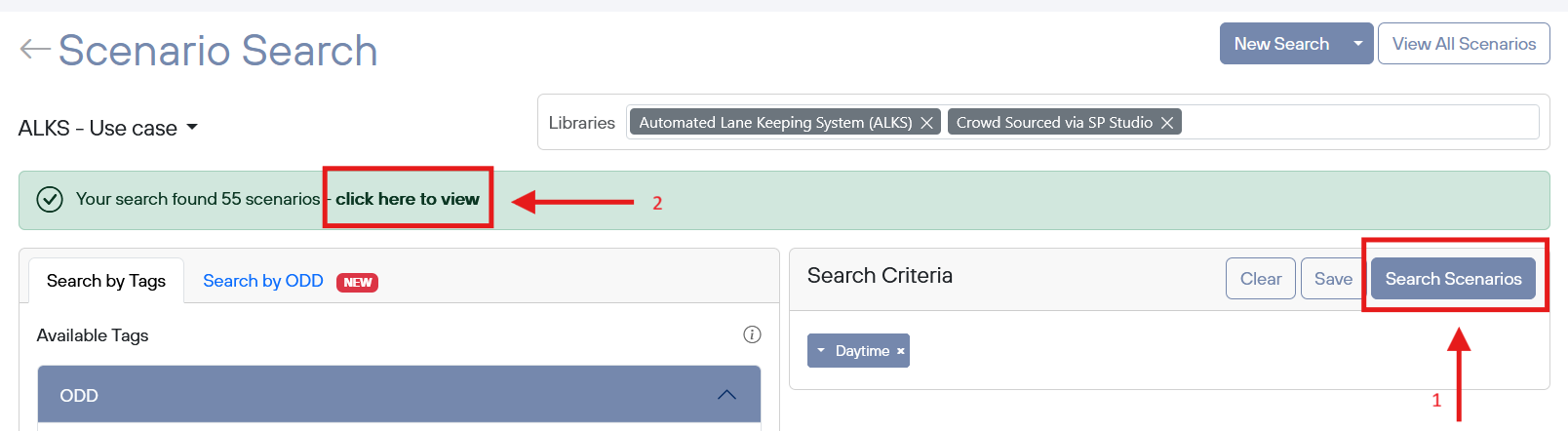
The matching scenarios can be viewed by clicking the ‘click here to view’ text in the green box.